Google Maps Korea: Why Directions Don't Work, and the Two Apps Locals Actually Use (2026)

You land at Incheon, clear immigration, connect to airport Wi-Fi, and open Google Maps to find your hotel. The blue dot appears. The map looks normal. You tap the directions button, and Korea hands you almost nothing.
Your phone is fine. Your data plan is fine. The problem is that Google Maps in Korea is missing the one thing it has almost everywhere else on earth: permission to hold the country's detailed map. Searches for Google Maps Korea climb every travel season for exactly this reason.
Most guides stop at "download Naver Map." That advice is correct and incomplete, because it never tells you what still works, what never will, and which of the two Korean apps to open for which job. Once you know where the boundary sits, you stop fighting your phone and start moving like someone who lives here.
What Google Maps Korea Actually Does and Doesn't Do
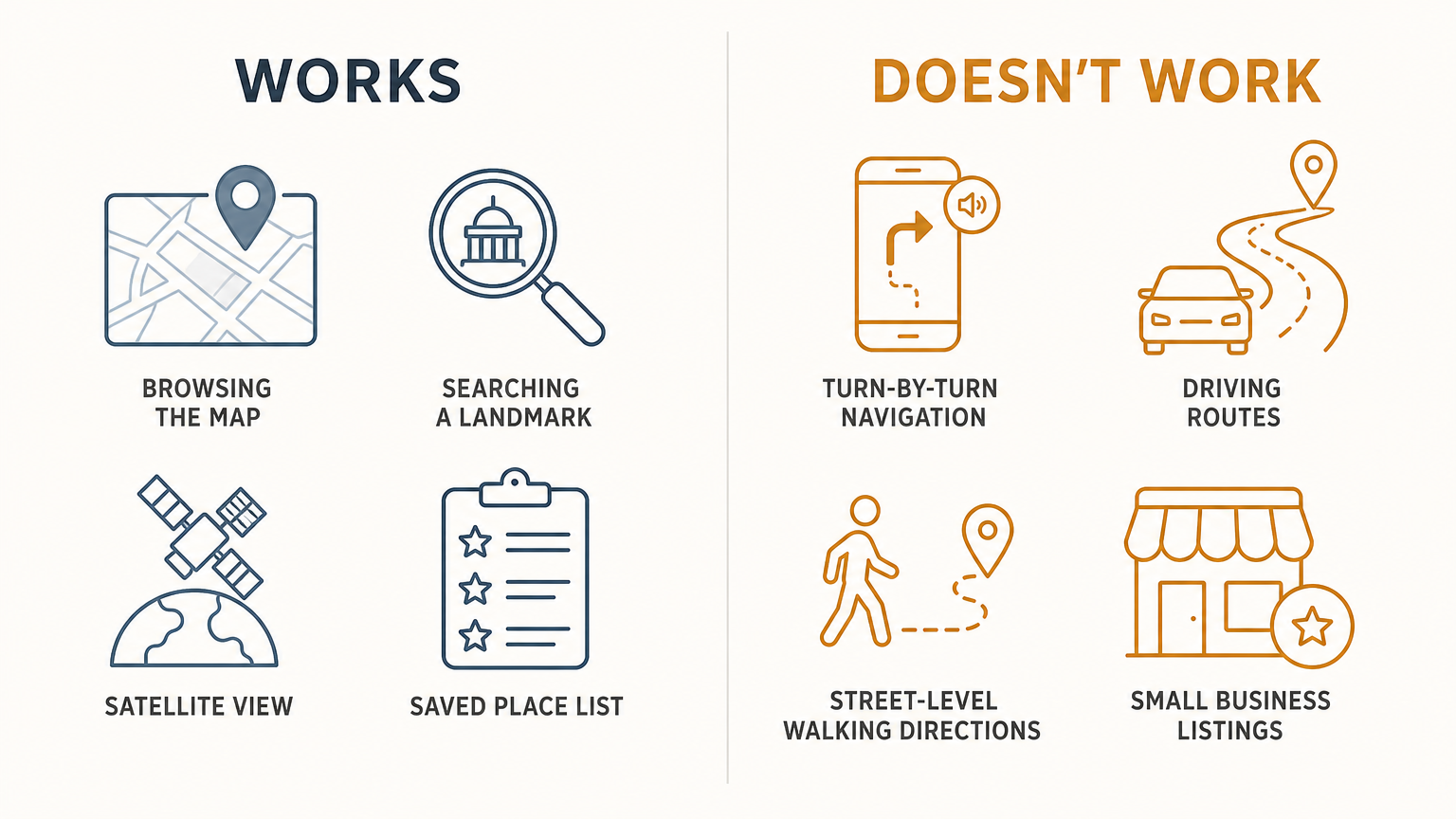
Google Maps is not blocked here. You can open it, pan around, search a place name, and see a satellite layer. What breaks is the layer underneath: turn-by-turn navigation, reliable driving routes, walking directions between two ordinary street addresses, and the dense local business data that makes the app feel omniscient in Tokyo or Berlin.
The result is a map that looks complete and behaves like a tourist brochure. It will find Gyeongbokgung Palace. It will not reliably walk you from your guesthouse in Seochon to the palace's west gate, and it will not route a rental car anywhere you actually want to go.
| Task | Google Maps | Naver Map | KakaoMap |
|---|---|---|---|
| Find a famous landmark | Works | Works | Works |
| Walking directions, street to street | Unreliable | Works | Works |
| Subway route with exit numbers | Partial | Works | Works |
| Real-time bus arrival | No | Works | Works |
| Turn-by-turn car navigation | No | Works | Works |
| Small restaurants, cafes, hours | Sparse | Dense | Dense |
| Full English interface | Yes | Yes | Partial |
The gap in that table is not a bug Google forgot to fix. It is nineteen years old.
The Nineteen-Year Reason
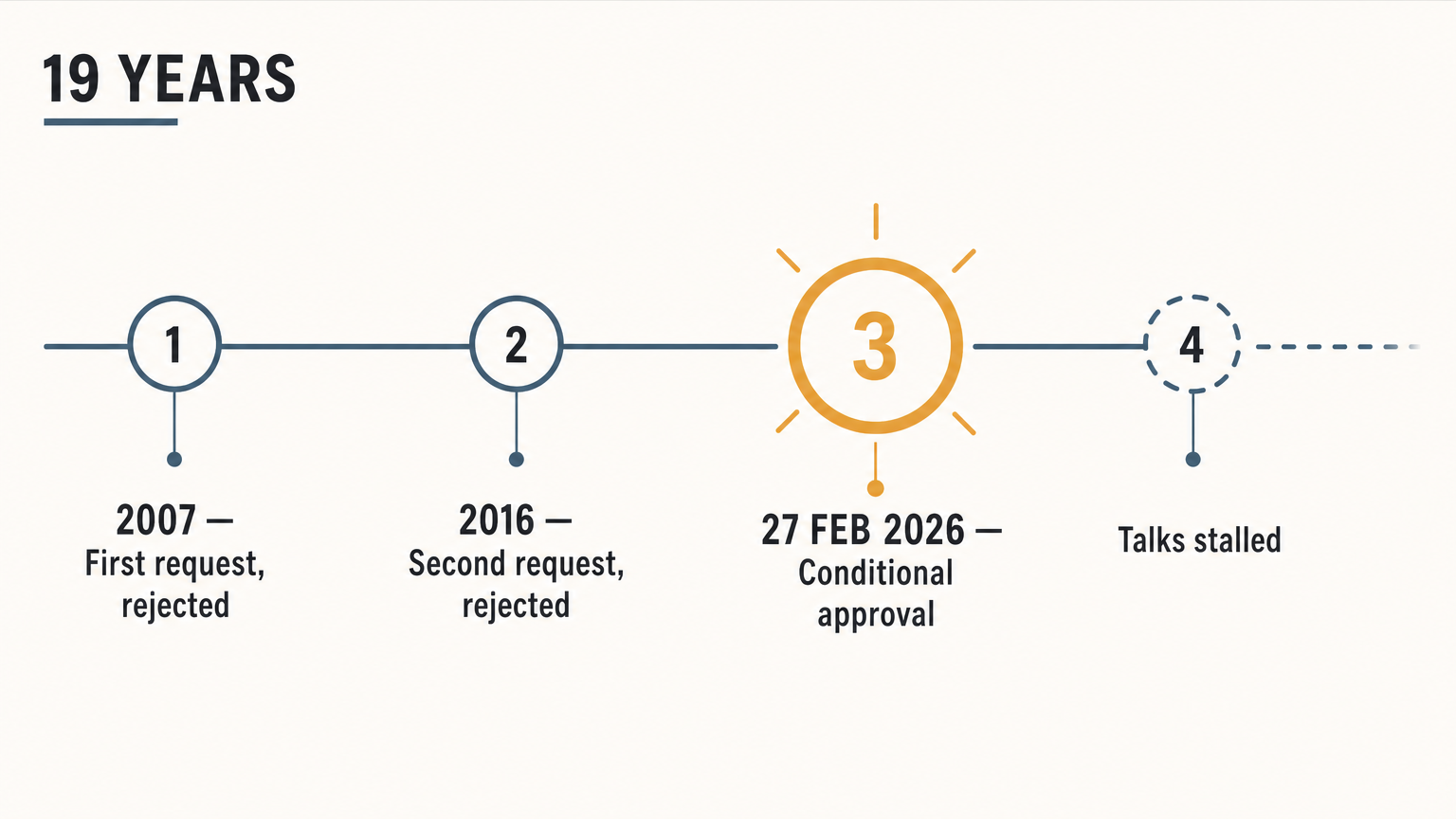
South Korea restricts sending high-precision domestic map data outside the country. The legal reasoning is national security. The country is still technically at war, and detailed geospatial data covers military installations sitting close to a live border. Google first asked for an export licence in 2007 and was turned down. It asked again in 2016 and was turned down again, that time over its unwillingness to blur sensitive sites.
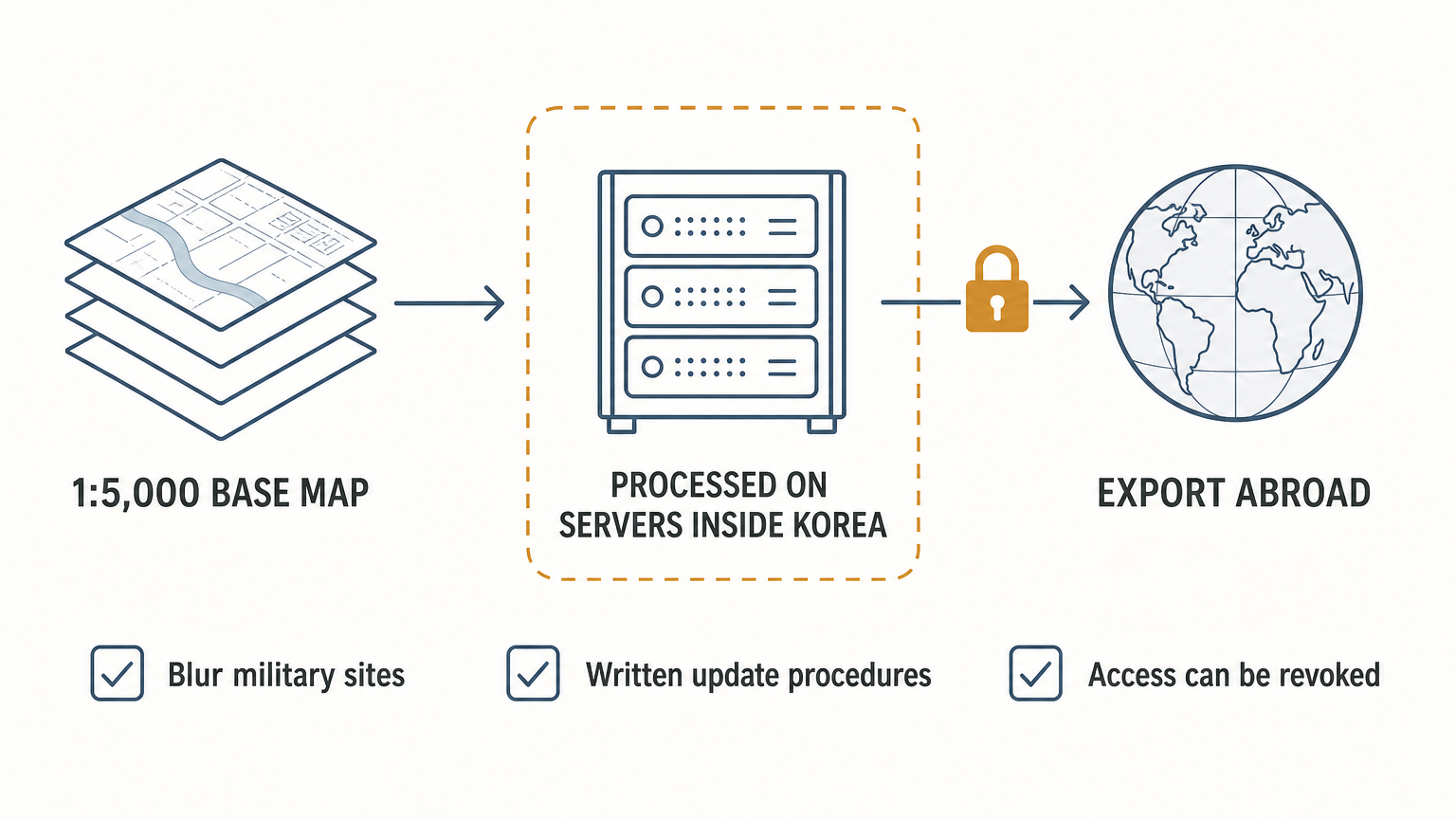
The third attempt finally moved. On 27 February 2026, an inter-agency government panel granted conditional approval for Google to export the 1:5,000 scale base map it needs to build real navigation here.
Conditional is the operative word. Google has to process that map data on servers inside Korea before anything leaves, blur military and security sites in Street View and Google Earth, submit written procedures for how the data gets updated, and give the government a way to revoke access. The Ministry of Land, Infrastructure and Transport put the boundary plainly, saying it "can only proceed once Google fulfills the terms" (Ministry of Land, Infrastructure and Transport, via The Korea Herald).
Two months after that approval, the two sides were still divided on how the data would be stored, transferred, and processed, and no follow-up meeting had taken place. So the honest answer for anyone booking a trip right now is that the decision has been made and the switch has not been flipped.
The Two Apps Locals Actually Use
Koreans do not use one map app. They use two, and they switch between them without thinking about it. Copying that habit is the fastest way to stop feeling lost.
Naver Map is your default. It carries the stronger English support of the two, covering four languages in total, and it translates the parts that matter most to a first-time visitor: station names, transfer instructions, exit numbers, and voice prompts. Subway and walking directions are its best work. If you install exactly one app before your flight, install this one.
KakaoMap is your second opinion. Its live bus tracking is excellent, showing you the bus itself creeping toward your stop rather than an estimate. Its English mode has improved but stays less consistent, so it works best as the app you open for a specific job rather than the one you live in.
Neither app requires a Korean phone number to install, and neither requires an account for basic search and directions. You can download both at home before you fly.

Setting the App to English
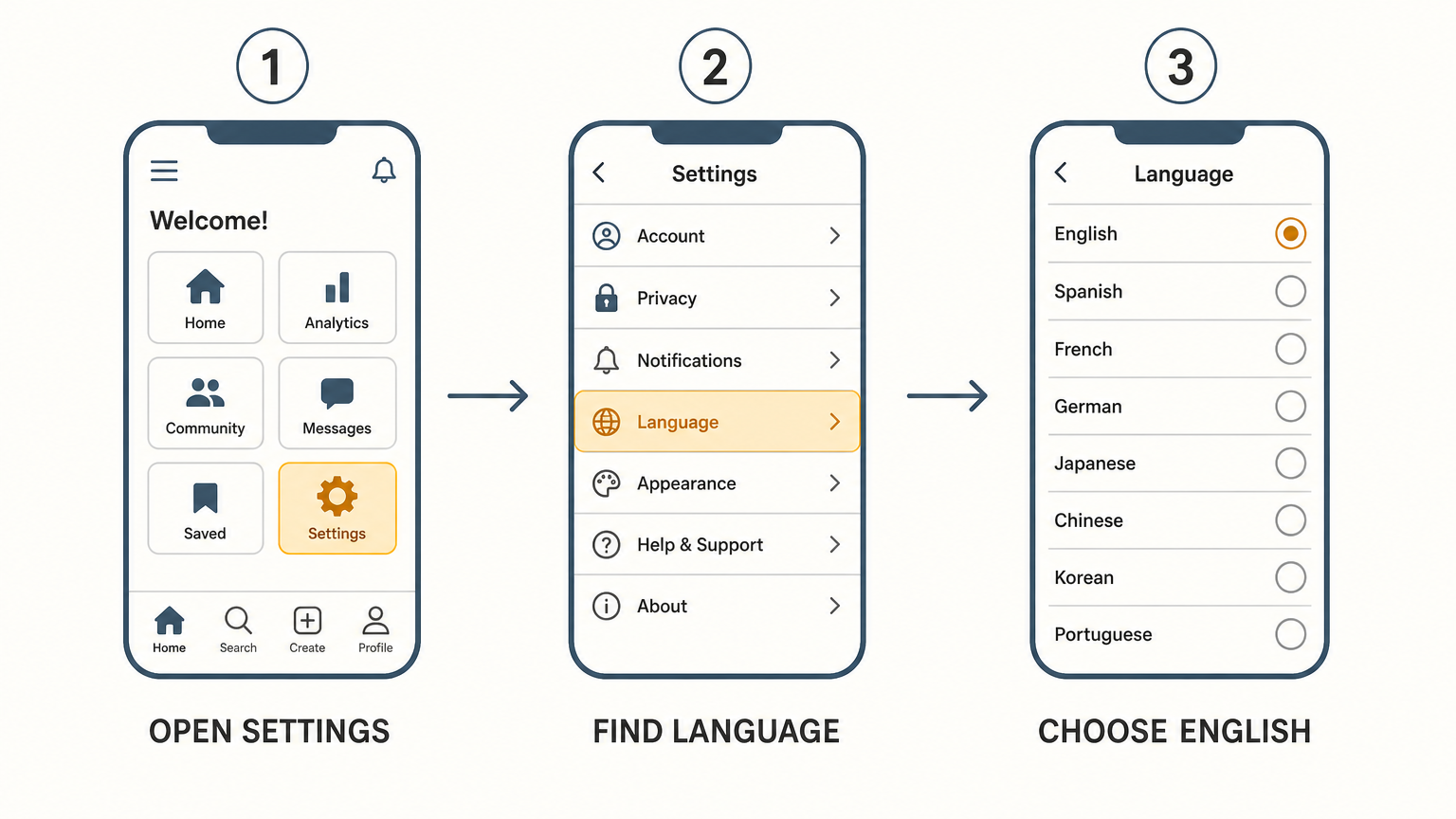
Naver Map installs in Korean if your device region says Korea, which trips people up on day one. The language switch lives in settings, not in a first-run prompt, so nothing will offer it to you.
Open the app, go to the settings menu, find the language option, and choose English. The interface, the voice guidance, and the transit instructions all follow. Search results are the exception. Business names that were never registered in English stay in Korean script no matter what you set, because the app is showing you what the owner typed rather than a translation.
How to Read a Transit Result
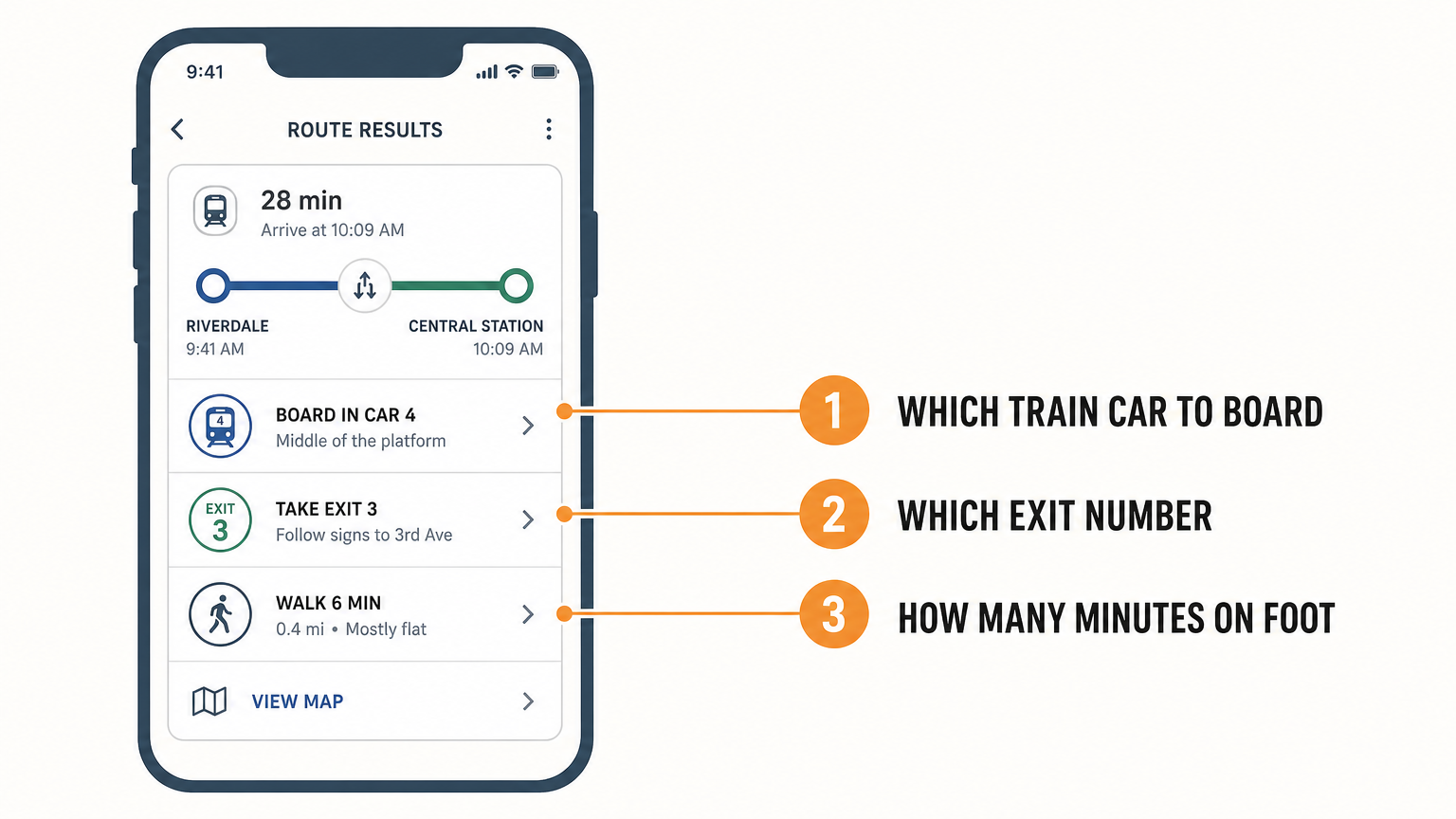
A Korean transit result carries more information than the Google equivalent you are used to, and the extra fields are the useful ones. Each route shows you which train car to board for the fastest transfer, which numbered exit to leave by, and how many minutes of that trip are spent walking rather than riding.
Exit numbers are the part worth internalising. A large Seoul station can have more than a dozen exits spread across several blocks, and leaving by the wrong one can add ten minutes above ground. The app tells you the number before you go through the turnstile. Write it on your hand if you have to.
The Address Trick That Saves You
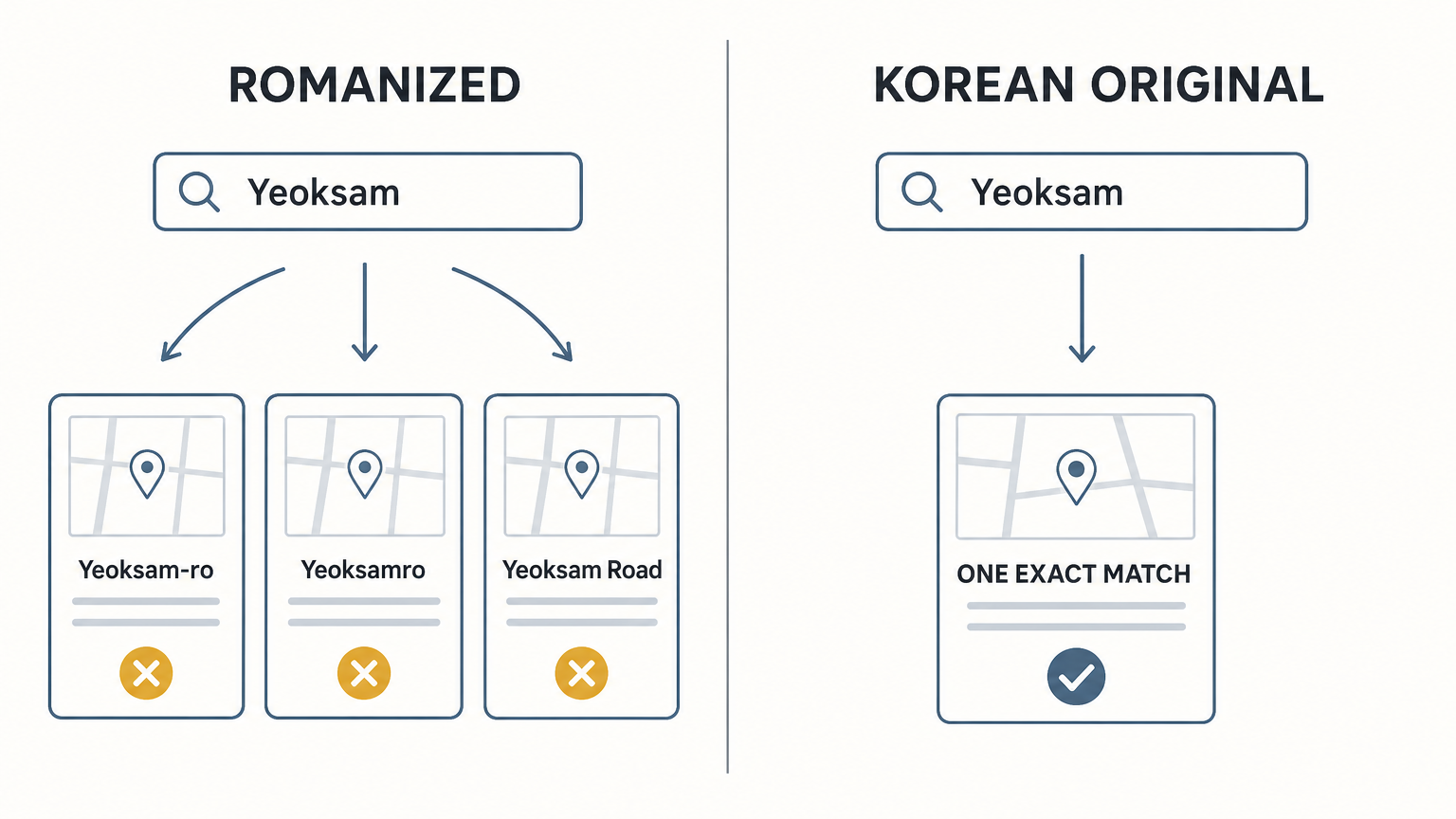
Here is the habit that separates a smooth trip from a frustrating one. When a hotel, restaurant, or shop gives you an address, copy the Korean text and paste it into the search bar instead of typing the romanized version.
Romanized Korean addresses are inconsistent. The same street shows up as Yeoksam-ro, Yeoksamro, or Yeoksam Road depending on who wrote it, and search treats those as three different strings. The Korean original is unambiguous, and pasting it costs you nothing since you never have to read it.
The same logic applies to restaurant names you found on Instagram. Paste the Korean name. You will land on the right branch instead of the one across the river.

Which App for Which Job
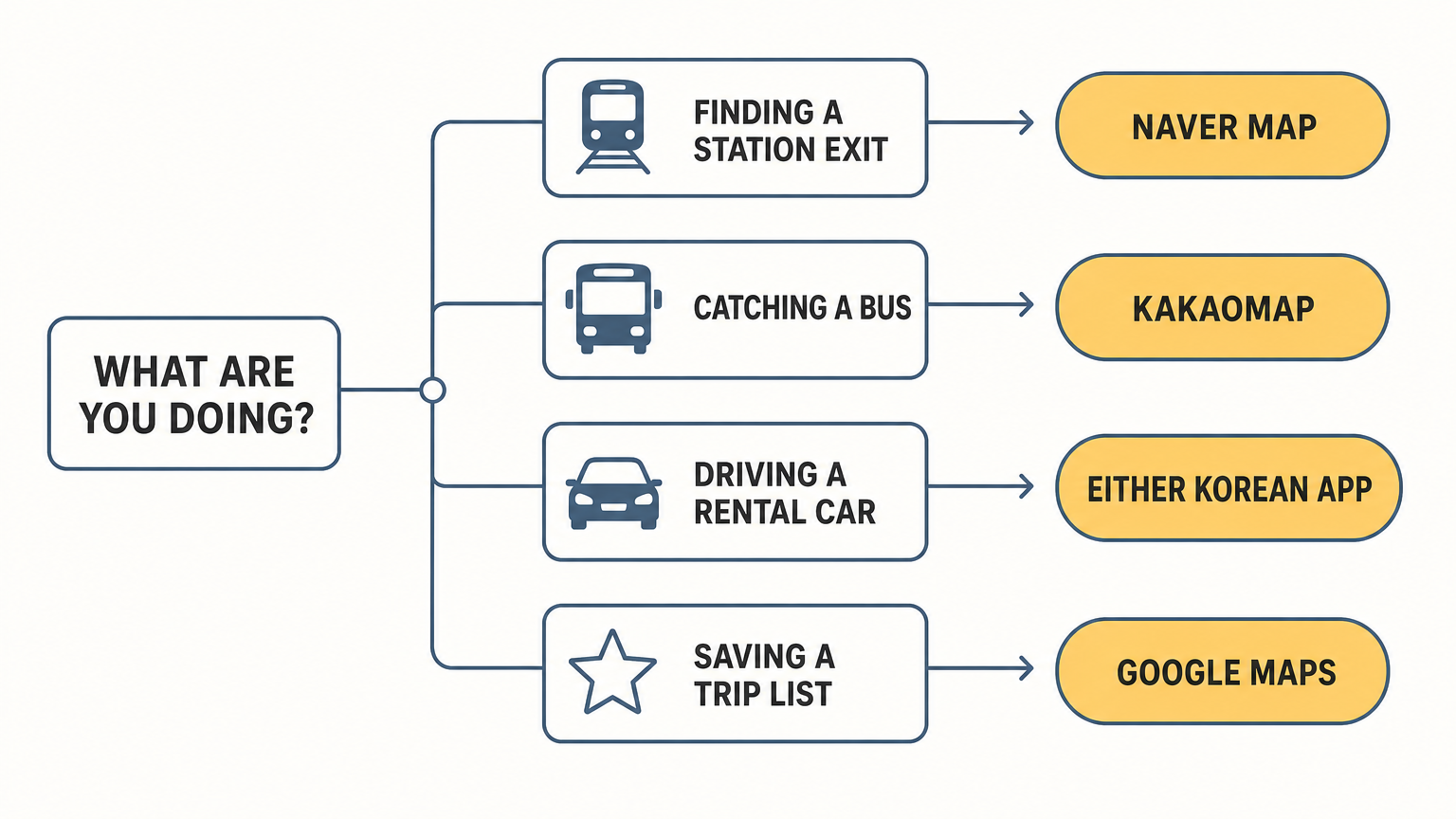
A short decision rule covers nearly everything a visitor does in a week.
Reaching a subway station and finding the right exit is Naver Map. Catching a bus and wanting to know where it actually is right now is KakaoMap. Driving a rental car is either Korean app and never Google. Saving a list of places before your trip and sharing it with the people travelling with you is still Google Maps, because starring places works fine and the sharing is easier.
That last one is worth keeping. The app remains a good planning tool for Korea. It is simply not a navigation tool here.
Your First Thirty Minutes at Incheon
Do this before you leave the terminal, while the airport Wi-Fi is still strong and free.
Open both Korean apps once so their initial map data finishes downloading. Switch the language to English. Search your accommodation by its Korean address and star it, so you have a target saved even if your data drops later. Then check the transit result for your ride into the city and note the exit number at the far end.
Thirty minutes of setup at a table in the arrivals hall removes most of what goes wrong on day one.

FAQ
Does Google Maps work at all in Korea?
Partly. You can browse the map, search well-known landmarks, and view satellite imagery. Turn-by-turn navigation, driving routes, and street-level walking directions do not work reliably, and small-business data is thin compared with the Korean apps.
Will Google Maps Korea navigation work in 2026?
Conditional approval for the map data export was granted on 27 February 2026, but Google must still meet the government's security conditions before anything changes. As of the most recent reporting, the two sides had not resolved how the data would be stored and processed, and no launch date has been announced. Plan your trip on the assumption that it will not work.
Do I need a Korean phone number to use a Korean map app?
No. Naver Map and KakaoMap both install and run without a Korean number or a Korean account. Basic search, walking directions, transit routing, and driving navigation are open to anyone.
Can I use Korean map apps offline?
Not meaningfully. Both need a data connection for search, transit times, and live traffic. Public Wi-Fi in Korea is widespread but not continuous, so arrange mobile data before you arrive rather than relying on cafe hotspots.
Which is better, Naver Map or KakaoMap?
Naver for a first-time visitor, because its English support is more consistent and its transit directions include exit numbers and transfer detail. Kakao is the better tool specifically for buses, where its live vehicle tracking wins.
Does Google Maps work for driving a rental car in Korea?
No. If you are renting a car, use a Korean app for navigation or take the built-in unit the rental company offers. Some branches will set that unit to English on request, which is worth asking for at pickup.
Before You Fly
Download both Korean map apps now, while you are still on your home Wi-Fi, and open each one once so the initial data finishes loading. Switch the language to English before you leave. Keep Google Maps for the trip list you are already building.
Getting around is the first thing that goes wrong for visitors to Korea and the first thing that stops being a problem once you fix it. The next one is the taxi you will want at eleven at night when the subway has stopped, and that barrier has nothing to do with maps.
Sources
-
The Korea Herald, "Google map export stalls 2 months after Korea's conditional approval" — https://www.koreaherald.com/article/10720446
-
Ministry of Land, Infrastructure and Transport of the Republic of Korea, conditional approval decision of 27 February 2026
-
Korea Tourism Organization (VISITKOREA) — https://english.visitkorea.or.kr